
Quick Replies
Quick replies store text that your team sends often, for example a price list or a shipping estimate. Type the shortcut in the Inbox message box, and the text fills in right away.
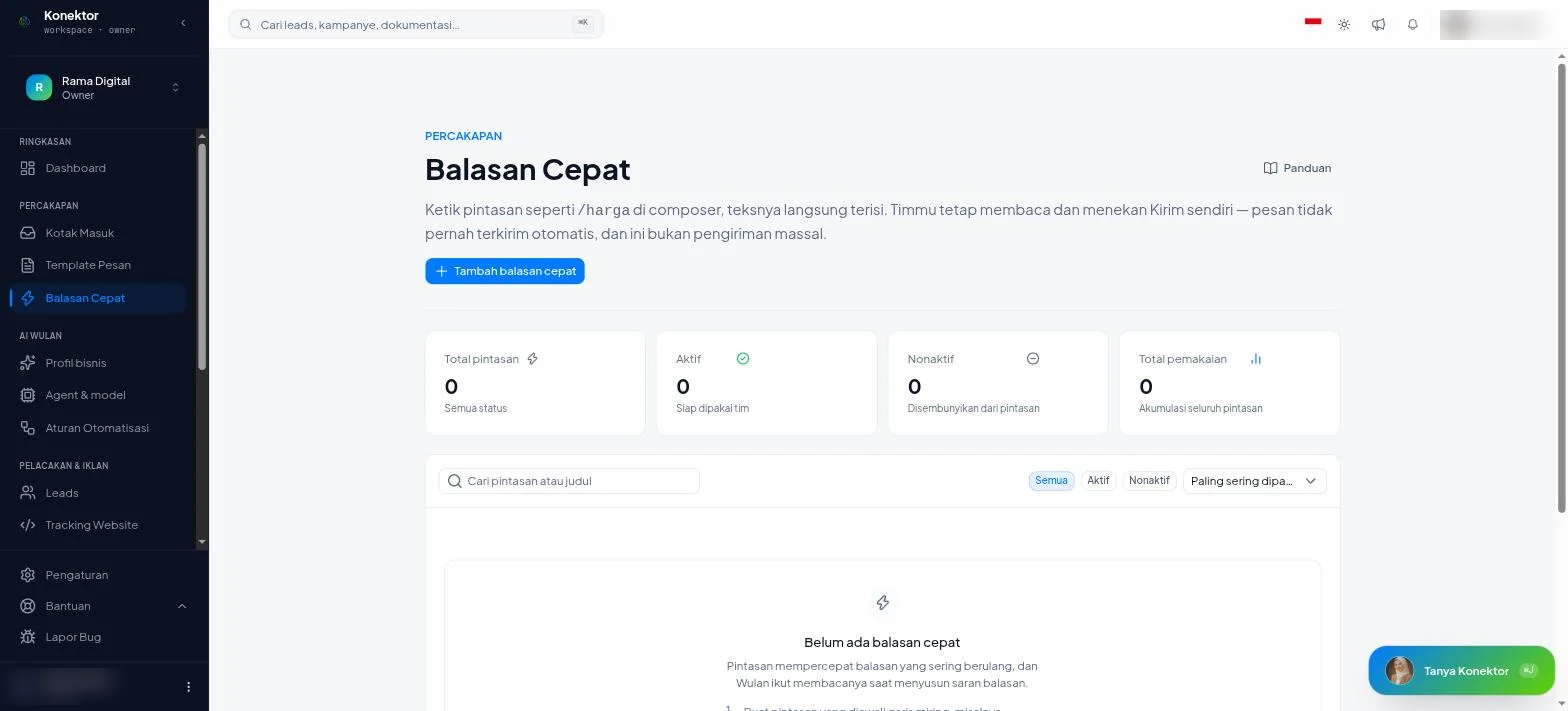
Quick replies are never sent automatically. Your team still reads the text and presses Send. This feature is not a bulk send.
Create a quick reply
- Open Conversations > Quick Replies.
- Click Add a quick reply.
- Fill in Shortcut. The shortcut must start with a slash, for example
/price. - Fill in Title, for example "Shipping cost estimate".
- Fill in Reply text.
- Click Save quick reply.
After the slash, a shortcut can contain only letters, numbers, -, or _. When the format is wrong, the page shows "Start with / then letters, numbers, - or _."
Variables
Write a variable in Reply text to make the reply personal. Konektor replaces the variable with customer data when the text goes into the message box.
| Variable | Replaced with |
|---|---|
{{nama}} | The customer's name |
{{nomor}} | The customer's WhatsApp number |
Example: Hi {{nama}}, shipping to your city starts at Rp 15,000.
Use a quick reply in the Inbox
- Open a conversation in the Inbox.
- Type
/in the message box. A list of matching quick replies appears. - Choose a reply. The text goes into the message box.
- Change the text if necessary, then click Send.
You can also press ⌘K (Ctrl+K on Windows) to open quick replies and official templates.
Manage the list
| Part | What it does |
|---|---|
| Search box | Search a shortcut or title. |
| Most used first / Name A-Z | Sort the list. |
| All / On / Off | Filter the list by status. |
| Turn on / Turn off | Change the status of one quick reply. A reply that is off does not show as a shortcut. |
The cards above the list show Total shortcuts, the number that are On and Off, and Total uses. Each row shows how many times the reply was used.
Wulan reads quick replies too
Wulan uses the quick replies that are on as material for its reply suggestions. The suggestion card names how many quick replies it used, for example "based on Business profile & 3 quick replies".
In the Inbox app
The Inbox app on your phone has a Quick replies tab. Tap a reply to copy it. Create and change quick replies from the dashboard.
Troubleshooting
| Text on screen | What to do |
|---|---|
| "The quick reply could not be created" | Check the shortcut, title, and text, then try again. |
| "The quick reply could not be changed" | Reload the page, then change its status again. |
| "No results for this filter" | Click Clear filter or use a different keyword. |
Related links
Need More Help?
Our team is ready to help you maximize ad tracking and business attribution.
Try or continue
© 2026 Konektor. All rights reserved.