
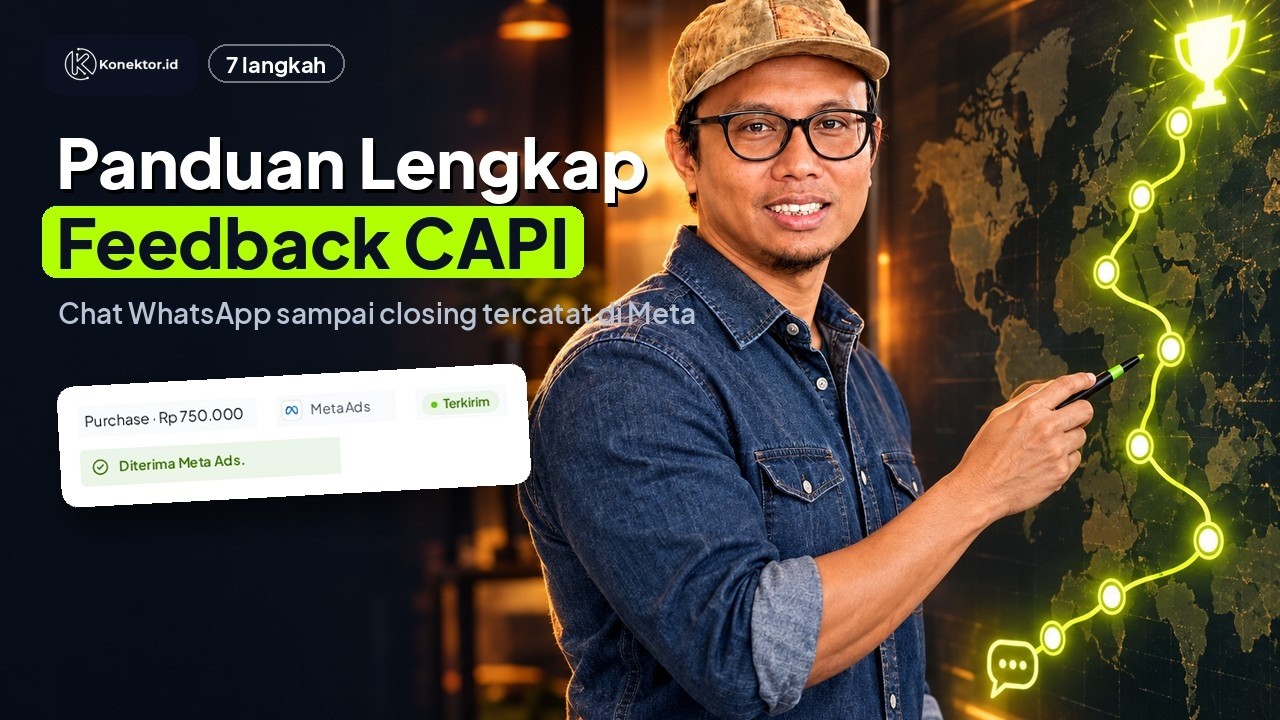
Complete Feedback CAPI guide: WhatsApp closings recorded in Meta in 7 minutes (Indonesian narration)
Complete Feedback CAPI guide: WhatsApp closings recorded in Meta in 7 minutes (Indonesian narration) • 7:08
Tonton di YouTubeQuick Start Guide
Complete the path that best matches your immediate goal. After the first result works, you can add other features without signing up again.
Before you start
Make sure you:
- have signed in to Konektor and selected the correct business workspace;
- have an owner or admin role if you need to change settings;
- can open the account email if Konektor asks for verification;
- have the access required for your chosen path.
| Goal | What you need |
|---|---|
| Website tracking | Access to install a script on the website or in Google Tag Manager. |
| WhatsApp Link | One or more destination WhatsApp numbers in country-code format, such as 62812.... |
| CTWA ads | A WhatsApp Business number that you can connect, a Meta Business account, and access to Meta Events Manager. |
| Ads to a landing page, then WhatsApp | Access to install code on the landing page, a destination WhatsApp number, and access to Meta Events Manager. |
About workspaces
A workspace is your business work area. Check the workspace name in the dashboard before saving settings so data does not go to the wrong workspace.
Follow the step cards on the dashboard
When you first sign in, Konektor asks Where does your ad send people? Choose one answer: Straight to a WhatsApp chat, To a landing page or website, or No ads yet / not sure. Konektor suggests one goal.
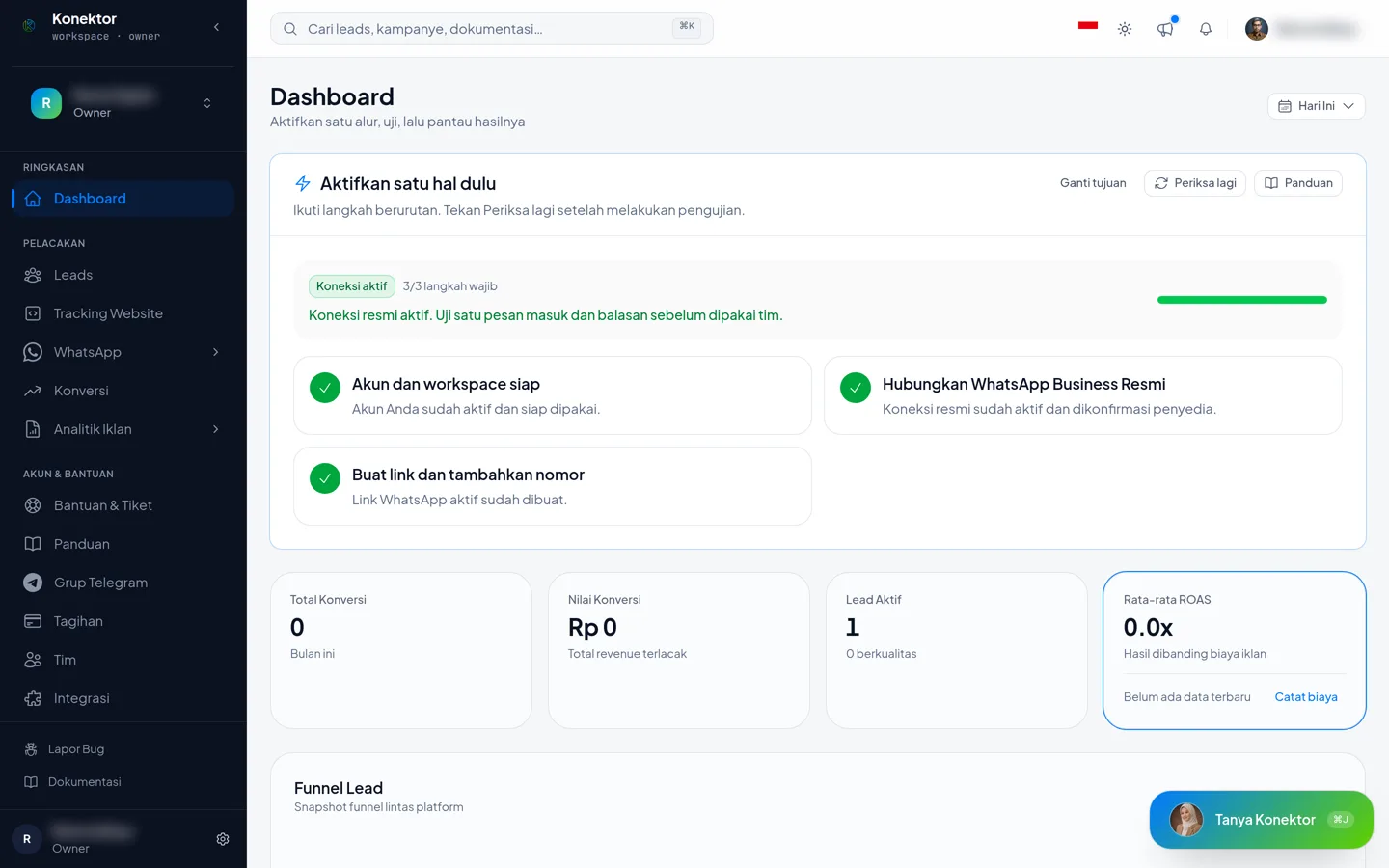
The Activate one thing first panel on the Dashboard shows the steps as cards. The goals are:
| Goal | Steps |
|---|---|
| Track your website | Install the tracking code and receive the first event. |
| Create a WhatsApp link | Create a link and open it once. |
| Click-to-WhatsApp (CTWA) ads | From the ad chat to a closing sent to Meta. Follow the CTWA Getting Started Guide. |
| Ads to a landing page, then WhatsApp | From the ad click to a closing sent to Meta. Follow the Landing Page to WhatsApp Guide. |
The next step card shows an action, a test, and the expected result. The checklist shows your progress. Workspace data determines progress. Opening a setup page does not complete a step.
Each card shows Done, Now, or Not yet. Press Check again after you finish a step. To change your choice, open More actions and click Change goal. On small screens, press Show steps to open the cards.
Understand “configured” and “verified”
| Status | Meaning |
|---|---|
| Configured | An ID, token, number, or code has been saved in Konektor. |
| Verified | Konektor has received real activity that proves your selected goal. |
For website tracking, a copied or installed script is only configured. Tracking is verified after Konektor receives a real website event.
For CTWA ads and landing page to WhatsApp, the Verified status appears after Meta receives a real event from you. The last step is optional: the first closing is sent to Meta. This step does not hold back the Verified status.
If chats from Meta ads exist but Meta is not connected, the dashboard shows a warning with a Connect Meta button.
Path A: track a website
Choose this path when your ads send prospects to a website or landing page.
1. Get the workspace script
- Open Website Tracking.
- Click Create tracking code if the code is not available yet.
- Click View Code.
- Click Copy Code.
Do not replace the ID inside the code manually. Code copied from the dashboard already uses the active workspace ID.
2. Install the script and open the website
Follow the Tracking Script Installation Guide, then open a website page where you installed the script.
Opening that page sends a real event, such as PageView, to Konektor. Checking tracker.min.js is a troubleshooting step only; a loaded file is not the final activation evidence.
3. Verify the website event
- Return to the member dashboard.
- In the Activate one thing first panel, click Check again.
- Confirm that the website step says an event was received.
If the status does not change after you open the website, follow installation troubleshooting.
4. Optional: add an ad platform
This step is not required to verify website tracking.
- Open Website Tracking.
- Click Add ad platform.
- Select Meta, Google, TikTok, ChatGPT Ads, or another platform you use.
- Enter the required ID and credentials.
- Click Save.
- In the Connected ad platforms table, open the platform row menu, then select Test send.
- Enter the requested test data. For Meta, copy the Test event code (Test Event Code) from Meta Events Manager > Test events. This code is required.
- Click Send test.
- Check the result in Konektor and in Meta Events Manager > Test events.
Use the platform guides to find the correct values:
After a successful test, the platform status is Test passed. This differs from Healthy. Healthy appears after the platform receives real events. The test checks your account and the data sent, not website-script installation.
Path B: create one WhatsApp Link for several numbers
Choose this path when you want to distribute prospects across team members.
- Open Links & Domains > WhatsApp Links.
- Click Create Link.
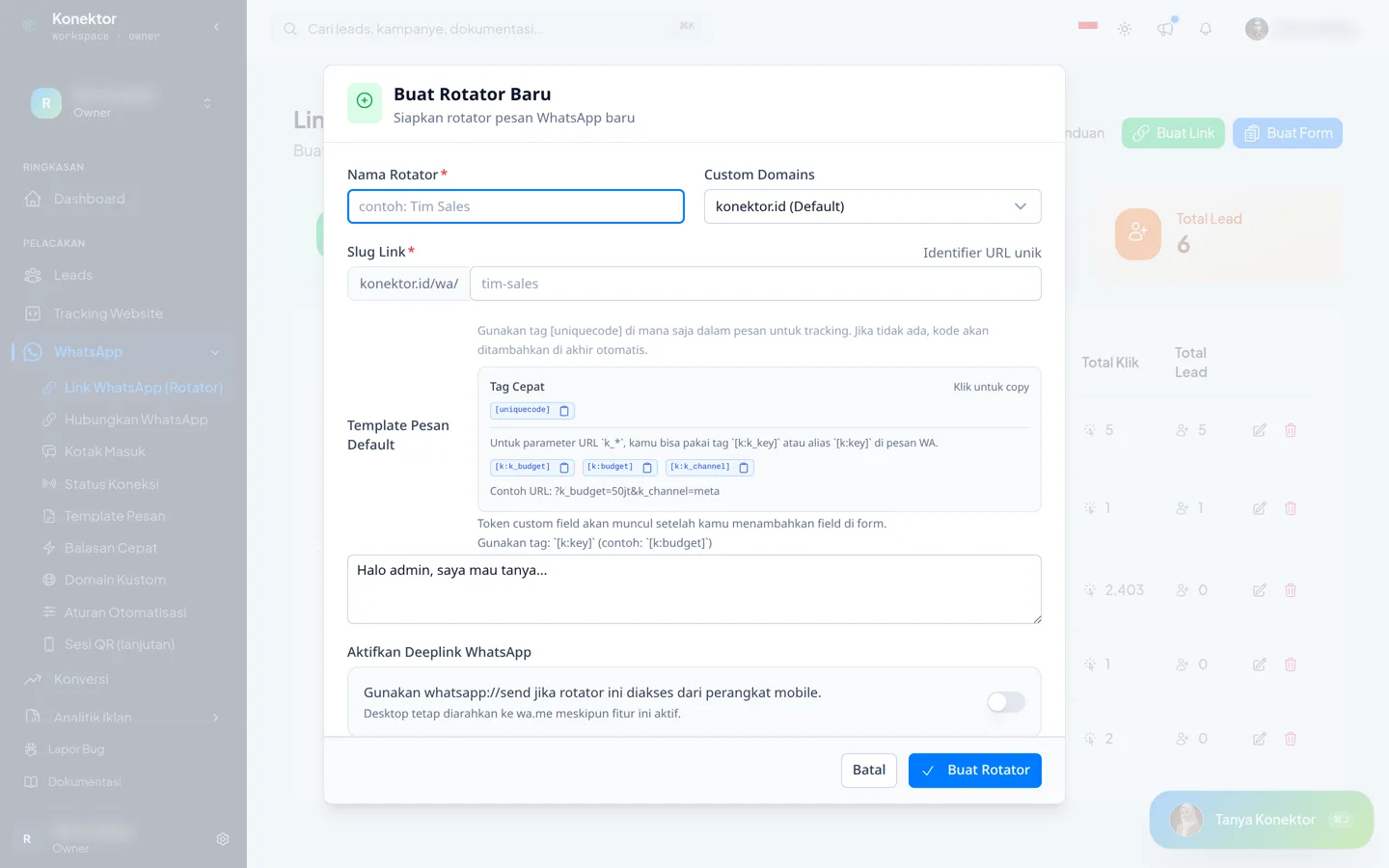 3. Complete Rotator Name, Link Slug, and Default Message Template.
4. Under WhatsApp Numbers, complete the first row with the Agent Name, WhatsApp Number, and Distribution Weight.
5. Click Add Number only when you have another destination.
6. Click Create Link.
7. On the new link, select Copy Link.
3. Complete Rotator Name, Link Slug, and Default Message Template.
4. Under WhatsApp Numbers, complete the first row with the Agent Name, WhatsApp Number, and Distribution Weight.
5. Click Add Number only when you have another destination.
6. Click Create Link.
7. On the new link, select Copy Link.
Send the link to yourself and open it on a phone. The setup works when WhatsApp opens with the correct destination number and opening message. Repeat the test if you need to check distribution across team members.
A WhatsApp Link does not require a QR code
Numbers in a WhatsApp Link are redirect destinations. You do not need to scan a QR code, create a device session, or give Konektor access to the WhatsApp app to distribute visitors.
Without a connected number, Konektor records clicks but does not record chats. Connect a number in the Numbers & CTWA menu if you want chats to reach Leads.
A working WhatsApp Link does not prove that website tracking or delivery to Meta, Google, TikTok, or ChatGPT Ads works. If needed, complete Path A and then follow the optional Test send step.
Read the WhatsApp Link Guide for weights, form links, and click checks.
Path C: Click-to-WhatsApp (CTWA) ads
Choose this path when your Meta ad opens a WhatsApp chat directly. Follow the CTWA Getting Started Guide. It guides you from the WhatsApp number to a closing sent to Meta.
Path D: ads to a landing page, then WhatsApp
Choose this path when your Meta ad opens a landing page and a button on that page opens WhatsApp. Follow the Landing Page to WhatsApp Guide.
WhatsApp Inbox
Choose this path when your team reads and replies to customer chats from one place. Open Connection > Connect WhatsApp, then follow Connect Official WhatsApp Business. Then read WhatsApp Inbox. Your team can also reply from a phone with the Inbox app.
Prove a closing reaches Meta
Use these steps after a lead from a Meta ad exists.
- Open Inbox or Leads, then choose the Purchase stage on the ad lead. In Inbox, choose the stage from the labeled menu.
- Fill in the Closing value box, then save. Meta receives a Purchase event with this value.
- Open the lead detail or the Inbox panel. The delivery badge shows Sent to Meta, Queued, Failed, or Skipped.
- Click the badge. Konektor opens the Delivery log for that lead.
- Confirm that the Purchase event has the Sent status.
The Delivery log is under Tracking & Ads > Conversions, on the Delivery log tab. The statuses are Sent, Failed, Skipped, and Queued.
A Skipped result during a test is normal
Strict mode sends only leads that came from a Meta ad click. A test without a Meta ad click shows Skipped. The Meta is not connected row means Meta is not added in Website Tracking. Add Meta there.
The Loss stage asks for confirmation before it saves.
Check before you continue
| Path | Minimum evidence |
|---|---|
| Website tracking | The activation panel says that a website event was received. |
| Ad platform (optional) | The destination platform accepts a test event from Test send. |
| WhatsApp Link | The link opens WhatsApp with the correct destination number. |
| CTWA ads or landing page to WhatsApp | The Delivery log shows one Meta event with the Sent status. |
If you cannot see this evidence, fix the same path first. Adding another pixel, WhatsApp Link, or connection usually does not resolve an incomplete setup.
Next steps
Need More Help?
Our team is ready to help you maximize ad tracking and business attribution.
Wulan answers your questions and sends tutorial videos. Session scheduling is available through Wulan if you still need it.
© 2026 Konektor. All rights reserved.