
How to Find Your WABA ID
The WABA ID is the ID of the WhatsApp Business account that holds your WhatsApp number. Konektor uses it to send Click-to-WhatsApp (CTWA) ad conversions to Meta.
What you need
- Admin access to the Business Portfolio in Meta Business Suite.
- A WhatsApp number that is registered to a WhatsApp Business account in that portfolio.
Steps
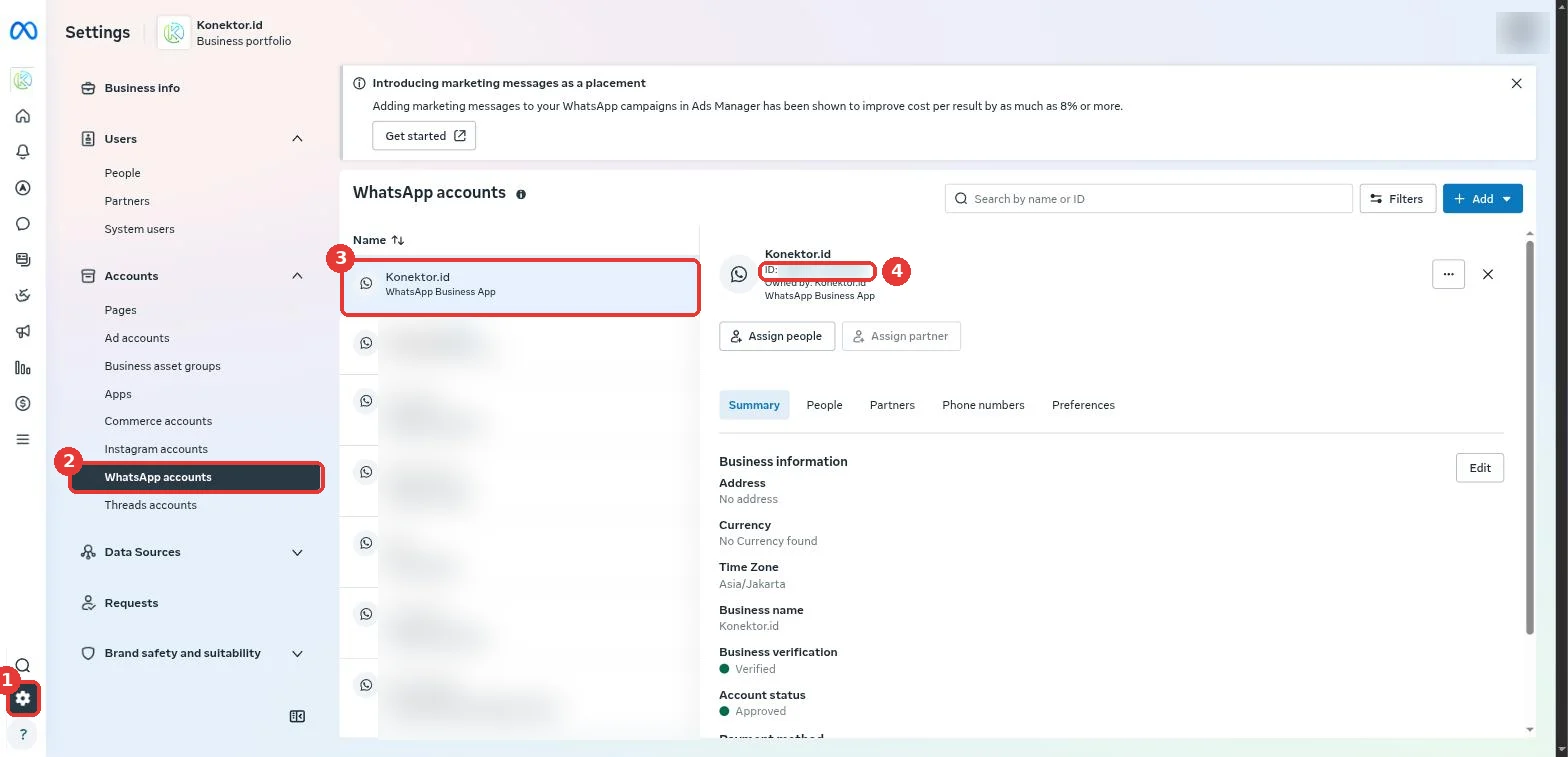
- Open Meta Business Suite, then click the Settings icon (gear) at the bottom left.
- Under Accounts, click WhatsApp accounts.
- Pick the WhatsApp account that holds your number.
- Copy the number on the ID line right under the account name. This number is the WABA ID.
- In Konektor, open Connection > QR Sessions (advanced), click Set up CTWA on your number, then paste the WABA ID.
A WABA ID has digits only, usually 15 or 16. Do not paste the Phone number ID or the Business Portfolio ID.
Cannot find the WhatsApp account?
- No WhatsApp accounts menu: you do not have admin access to that portfolio. Ask the portfolio owner to add you under Users > People.
- The list is empty: your number is not on the WhatsApp Business Platform yet, or it is in another portfolio. Pick the right portfolio at the top left.
- Many accounts: open the Phone numbers tab on each account to find your number.
Next steps
Need More Help?
Our team is ready to help you maximize ad tracking and business attribution.
Try or continue
© 2026 Konektor. All rights reserved.